- ev charging
- parking management
- analytics
- facilities
- hybrid office
EV Charging Spots: Mark Them, Book Them, Measure Demand
How to put EV charger spots on the company parking map, let people book them like any spot, and read the EV demand report before buying more chargers.
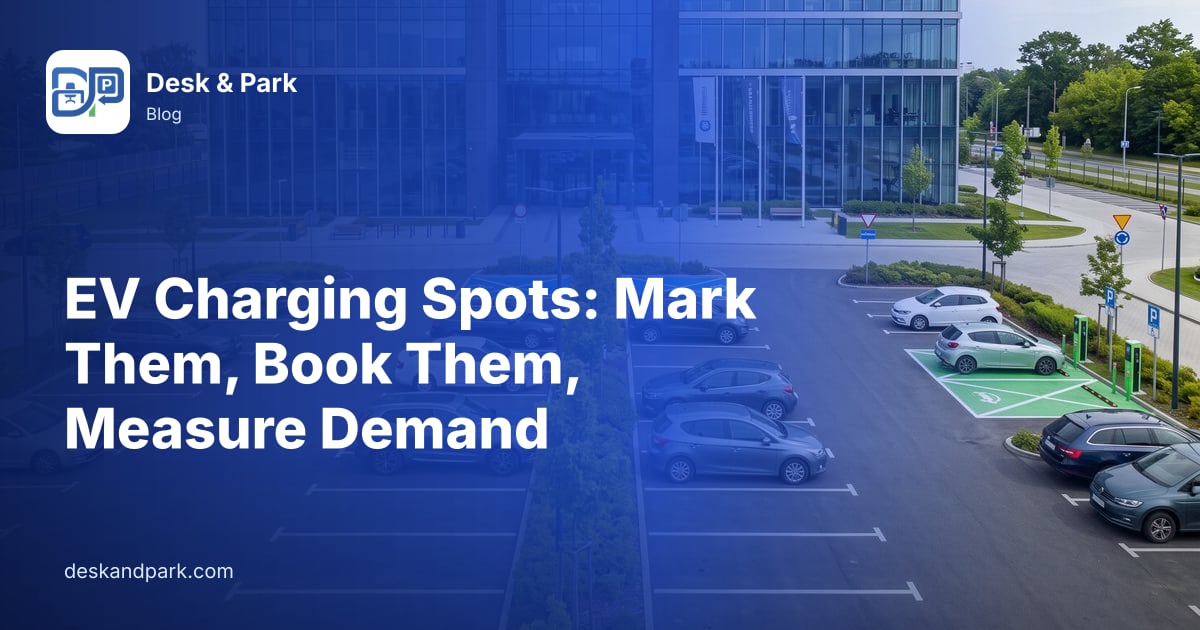
Imagine Piotr, facilities coordinator at a 160-person company. The car park has 30 spots, four of them with wall chargers installed last year. Every few days he hears the same two complaints. The electric-car drivers say the chargers are always taken. Everyone else says the chargers stand empty half the afternoon. Both cannot be fully true, and next month the board will ask him whether to install four more chargers. All he has today is a feeling.
This article follows Piotr step by step: marking the chargers on the parking map, letting people book them, keeping them from being blocked by no-shows, and reading the demand data that turns the feeling into a number. Everything here is available on every plan.

Step 1: mark the charger spots on the parking map
Each location in Desk & Park has its own parking map, and a location can have several parking areas, for example "Underground garage" and "Lot B". Piotr opens Parking map configuration, picks the location and the area, and clicks the first charger spot, P-03. In the properties panel on the right he ticks EV charger. A ⚡ marker appears on the pin. He repeats it for the other three.
That is the whole setup: the spot keeps its number and position and gains an attribute the system can show and count.
Step 2: people see the chargers and book them like any spot
On the booking map, charger spots carry the ⚡ icon, and in lists their name gets an "-EV" suffix, so P-03 shows as P-03-EV. An employee who needs to charge picks one of those for the day, just like any other spot, ideally together with a desk in the same booking.
One thing to be clear about: Desk & Park does not restrict charger spots to electric cars. Anyone can book a ⚡ spot. Whether chargers are reserved for drivers who actually charge is a house rule, and it works best when it is written down and visible. Piotr adds one sentence to the parking guidelines: "⚡ spots are for cars that are charging; if you don't need to charge, please pick another spot." The map makes the rule easy to follow, because the charger spots are impossible to miss.
Step 3: a charger nobody arrives at goes back to the pool
Part of "the chargers are always taken" is often bookings nobody uses: a colleague books P-03-EV for Thursday, works from home and forgets to cancel.
Charger spots follow the same rules as every other spot. The driver checks in by scanning the QR sticker on the spot with a phone browser. A booking that is not checked in within the check-in window is released automatically as a no-show, and the charger becomes bookable again for someone else that day. We describe the mechanism in detail in ghost bookings and automatic release.
Step 4: read the EV demand report
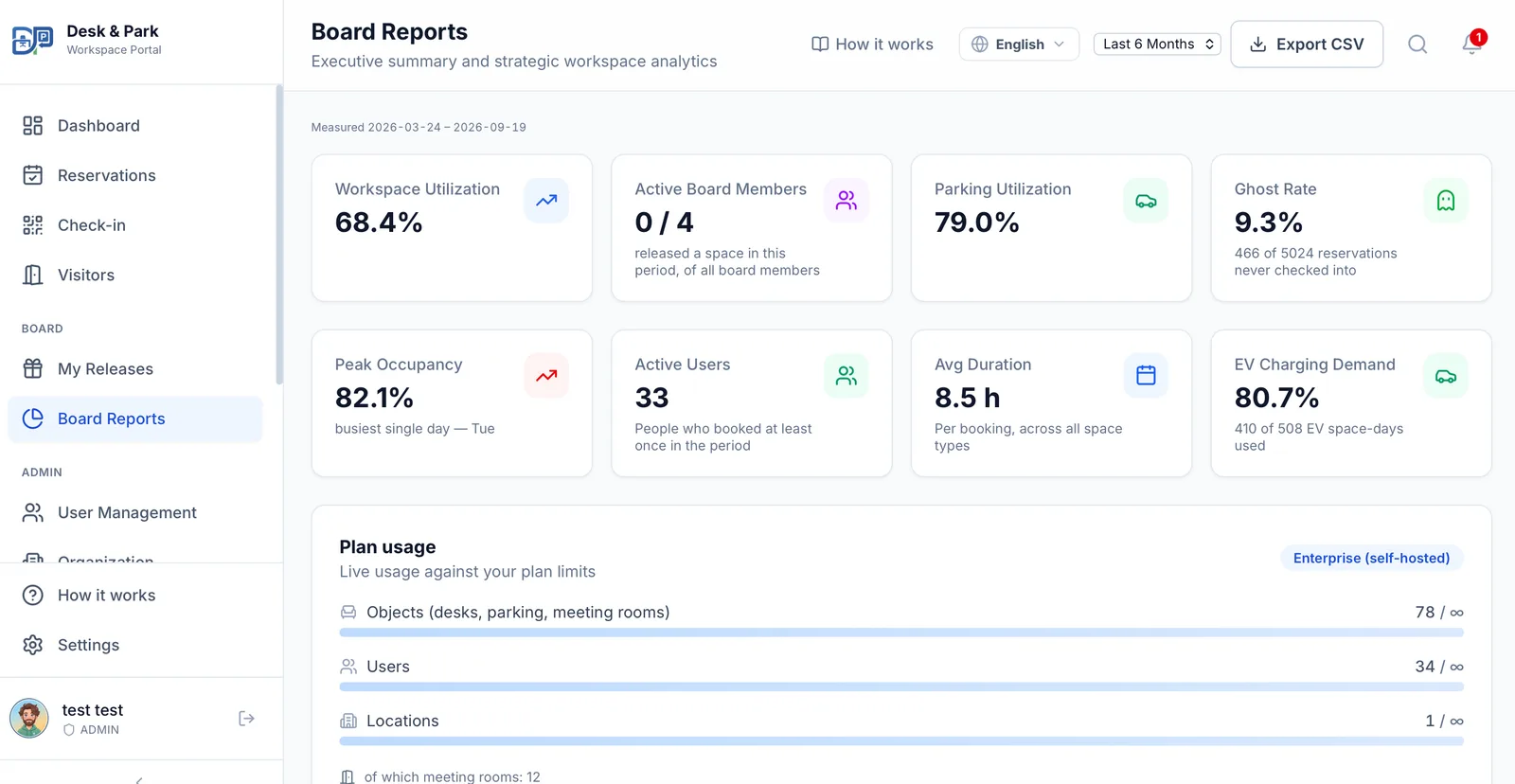
After a couple of months of bookings, Piotr opens Board Reports, the reporting area for board members and admins, and looks at the EV Charging Demand card. It shows one percentage and the line under it in plain words, for example "52 of 80 EV space-days used". The calculation is simple:
- EV space-days are the number of charger spots multiplied by the working days in the period.
- Used counts bookings of charger spots that were kept: cancelled bookings and bookings released as no-shows do not count.
- Closed days are left out, and so is today, because today's check-ins have not happened yet. The report also shows the exact range it measured, so a period that starts before you began using the system is not counted as empty days.
Next to it sits the Parking Utilization card for the car park as a whole, and both figures are included in the report's CSV export. The reporting period can be the last 7 days, the last month, 3 or 6 months, or the last year.
How Piotr reads it
The interesting part is the comparison, not the single number:
- High EV demand, parking utilization with room to spare. Charger spots are booked almost every working day while the car park as a whole is not full. That is the pattern that supports installing more chargers, once you have checked that the people booking them actually charge, because the figure counts every booking of a charger spot.
- The trend across periods. Switch between the last month and the last 6 months. Demand that keeps climbing argues for planning the next chargers now; a flat line argues for waiting.
- Low EV demand while people complain. The chargers are not booked often, yet drivers find them occupied. That points to cars parked without a booking or to the house rule not being known, which is a communication problem, not a capacity one.
For a broader view of what to measure in an office, see measuring real office occupancy.
EV data in the AI recommendations
The same EV figures are part of the aggregated data behind the board's AI recommendations, which have a dedicated EV optimisation category. A recommendation there is a prompt to look closer, with an estimate written by the model, not a measured saving. The way those recommendations are produced is described in AI recommendations for the board.
Practical tips
- Mark every charger. One that is not marked is invisible in the demand report.
- Write the house rule down. Since the system does not limit who books a ⚡ spot, the rule lives in your parking guidelines. One sentence is enough.
- Give it time before deciding. A week of data tells you little; look at three months or more.
- Read EV demand next to parking utilization. A full set of chargers with an empty car park is a different decision from a full set of chargers with a full car park.
- Keep an eye on no-shows. If many charger bookings are released as no-shows, the reminder and check-in habits need attention before the hardware does.
More on parking rules in general is in our guide to corporate parking management, and the parking map itself is shown on the parking booking page.
Scope: what this does not do
To keep expectations right: Desk & Park knows that a spot has a charger and whether it was booked and checked in. It does not know whether a car actually charged, how much energy it took or how powerful the charger is; there is no connection to the chargers themselves, no charging billing and no barrier or licence-plate camera integration. Charger spots are not limited to electric cars, there is no filter for them in the booking flow, and there is no waitlist or priority queue for chargers. "Demand" in the report means bookings of charger spots, which is the honest proxy the system has.
FAQ
How do we mark a parking spot as an EV charger?
In Parking map configuration, choose the location and the parking area, click the spot and tick "EV charger" in the properties panel. The spot gets a ⚡ marker on the map and an "-EV" suffix in lists.
Can only electric cars book charger spots?
No. Charger spots are booked like any other spot and anyone can book them. If you want them reserved for cars that are charging, make it a house rule in your parking guidelines; the ⚡ icon makes the spots easy to recognise.
What does the EV Charging Demand figure measure?
The share of charger spot-days on working days in the chosen period that had a booking which was not cancelled or released as a no-show, for example "52 of 80 EV space-days used". Read it next to the Parking Utilization card to see whether demand for chargers outpaces the rest of the car park.
Does the report show how much electricity was used?
No. Desk & Park has no connection to the chargers, so it does not know about charging sessions, energy or charger power. It measures bookings of charger spots.
Do no-show rules apply to charger spots?
Yes. A charger booking that is not checked in with the QR sticker within the check-in window is released automatically, and the spot can be booked by someone else that day.
#DeskAndPark#EvCharging#ParkingManagement#Analytics#Facilities#HybridOffice
Ask AI about this article
Get a summary or a second opinion: each button opens the assistant with a question about this article.