- desk booking software
- features
- hot desking
- parking management
- workplace management
Top 10 Desk & Park features buyers check first
The ten features desk-booking guides call essential, from floor maps and QR check-in to board reports and EU data, and how each works in Desk & Park.
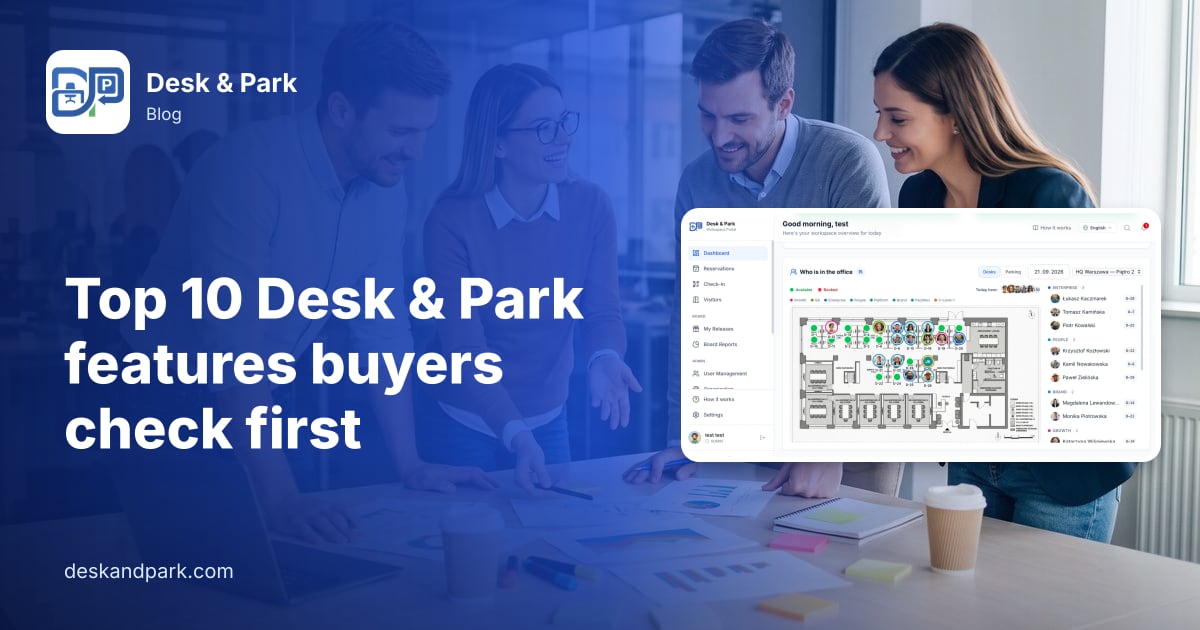
The ten Desk & Park features buyers check first are: interactive floor and parking maps, QR check-in with automatic release, desks, parking and rooms in one app, a live view of who is in the office, booking from a phone, assigned spaces you can hand back, a room tablet, reports for the board, integrations and notifications, and security with data kept in the EU. The 2026 desk-booking software guides from Archie, DeskFlex, Gable, Tactic and SpotBooker keep naming these as the essentials, so they are what a shortlist is built on. The core of all ten is in every plan, including the free Start plan for up to 10 bookable objects with unlimited users.
Below, each feature gets the same treatment: what it does, how it works, who benefits, and the honest limit. Amber labels in the infographics mark what is not there yet: the iOS app (2027), personal calendars that sync one way only, single sign-on through OpenID Connect only (no SAML), and ISO 27001 and SOC 2, which are planned, not certified.
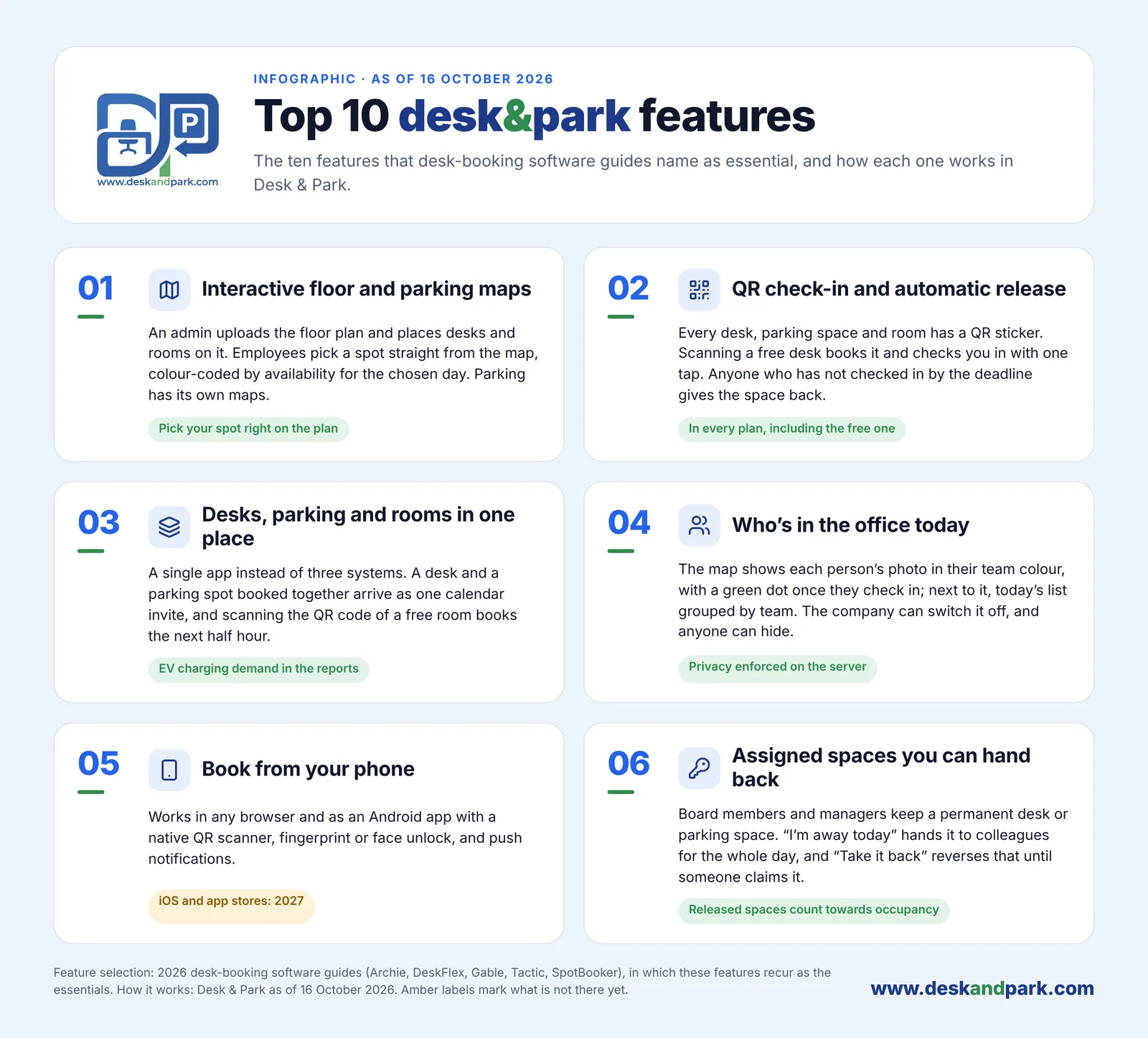
Features 01–06: what employees use every day. Status as of October 2026.
01 Interactive floor and parking maps
Employees book a desk by picking it on a drawing of their floor, not from a list of codes. The map is colour-coded by availability for the chosen day, so a free desk next to the team is visible at a glance.
- An admin uploads an image of the floor plan; there is no separate fee for plans or maps.
- The admin places desks and meeting rooms on it.
- Parking gets its own maps, with several areas per location if needed, for example a garage and an outdoor lot.
- An employee picks the day and floor, taps a free spot and confirms.
Who benefits: employees choose by team or window instead of guessing; the office manager changes the layout by moving spaces on the plan; IT gets a self-serve setup that the onboarding guide puts at 60–90 minutes for one office.
The limit: the map is your own plan image, so it is only as clear as the drawing you upload. More on the idea in why visual booking is the future of hybrid offices and on the desk booking and parking booking pages.
02 QR check-in and automatic release
A booking nobody uses (a "ghost booking") blocks a desk all day. QR check-in proves someone arrived; automatic release gives unused spaces back.
- Every desk, parking spot and room gets a QR sticker, printed during onboarding.
- An employee with a booking scans it on arrival and is checked in.
- Someone without a booking scans a free desk, and one tap books it and checks them in.
- A desk or parking booking not checked in by your deadline (configurable, for example "check in by 10:00") returns to the pool automatically.
- Meeting rooms are released only if the organisation turns that on (off by default, after 5 to 120 minutes without a check-in); scanning the QR code of a free room books the next half hour.
Who benefits: the office manager stops chasing unused desks, late arrivals still find a space, and the board sees the no-show rate per floor in the reports (feature 08). Both are in every plan, including the free one.
The limit: assigned spaces are not released automatically after a missed scan; their owners hand them back (feature 06). The full mechanism: ghost bookings and auto-release.
03 Desks, parking and rooms in one place
One app replaces three systems: a desk tool, a parking spreadsheet and a room calendar, with one sign-in and one set of reports.
- The employee books a desk and a parking spot for the same day, choosing each on its map.
- Both arrive as one e-mail with one calendar invitation (a real iTIP invite).
- Parking spots with an EV charger are marked ⚡ on the map and carry an "-EV" suffix in lists. Anyone can book them; your house rule decides who should.
- Meeting rooms sit on the same floor maps as desks.
Who benefits: employees learn one booking flow; facilities sees EV charging demand in the reports, so a decision about more chargers rests on data rather than complaints.
The limit: the desk and the parking spot are two choices you make yourself; the system does not pick a parking spot for you. Further reading: corporate parking management and EV charging spots and demand data.
04 Who's in the office today
It answers the question hybrid teams ask every morning: is it worth coming in, and where is my team?
- The map shows each booked person's photo, or initials, ringed in their team colour.
- A green dot appears once they check in.
- Next to the map, today's roster lists everyone in, grouped by team.
Who benefits: employees sit near the people they came to see; managers notice when a team's office days drift apart.
Privacy: the company can switch the feature off, and any person can hide themselves. Both are enforced on the server, not only hidden in the interface. More in who is in the office today.
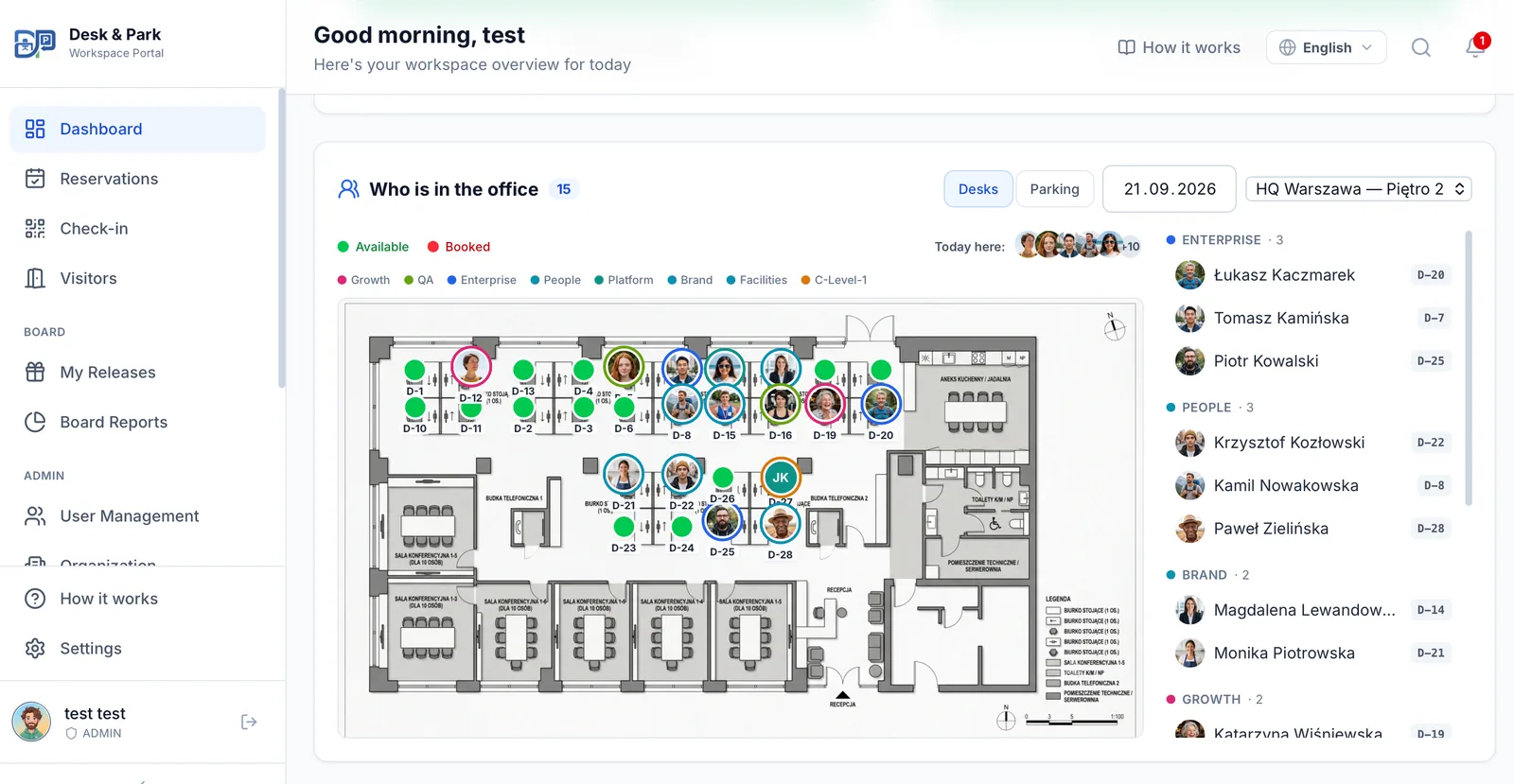
The map shows who booked which desk; the roster groups them by team.
05 Book from your phone
Booking, check-in and check-out happen on the phone people already carry.
- Desk & Park works in any browser and can be installed on the home screen as a PWA, with nothing to download from a store.
- On Android there is also an app with a native QR scanner, fingerprint or face unlock, and push notifications.
- Sign-in uses a one-time e-mail code, a passkey or company single sign-on.
- The "Your day" screen shows today's desk and parking, a "Scan desk QR" button and check-out.
Who benefits: employees book in seconds on the way in; IT has no app to distribute.
The limit: the iOS app and app-store distribution are planned for 2027. Until then, iPhone users book and check in through the web app in the browser.
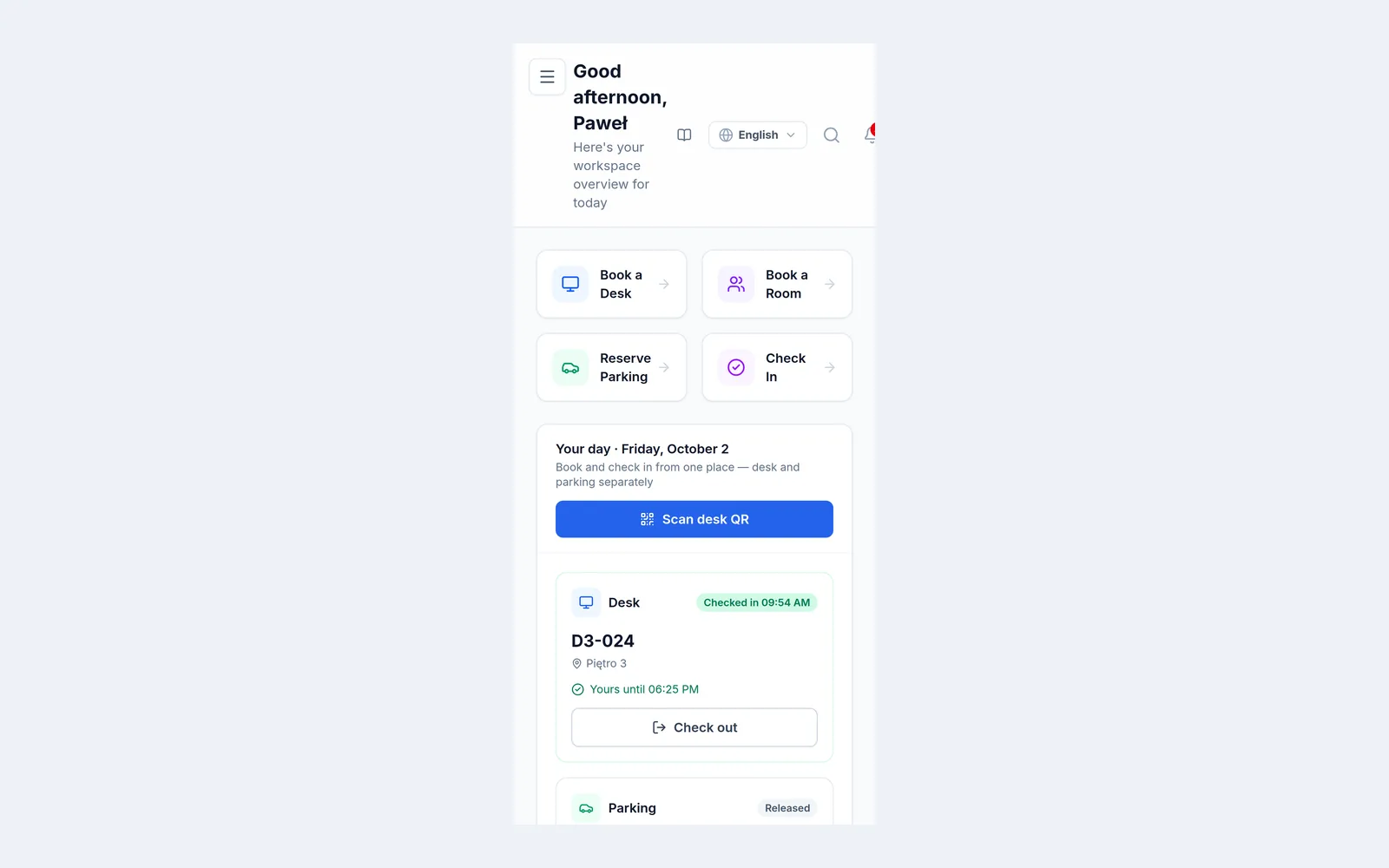
"Your day" on a phone: today's desk, its check-in status and the parking spot.
06 Assigned spaces you can hand back
Board members (and, on the Enterprise plan, managers) can keep a permanent desk or parking spot without it standing empty when they are away.
- An admin assigns the permanent space to the person.
- On a day away, the owner taps "I'm away today" and the space goes to colleagues for the whole day.
- "Take back" reverses that, as long as nobody has claimed the space yet.
- Released spaces count towards occupancy in the reports.
Who benefits: board members keep their guarantee, colleagues get more spaces on busy days, and the workplace team gets an honest occupancy figure.
The limit: there is no automatic release of permanent spaces after a missed scan; it depends on the owner pressing the button. How this enters the numbers: measuring real office occupancy.
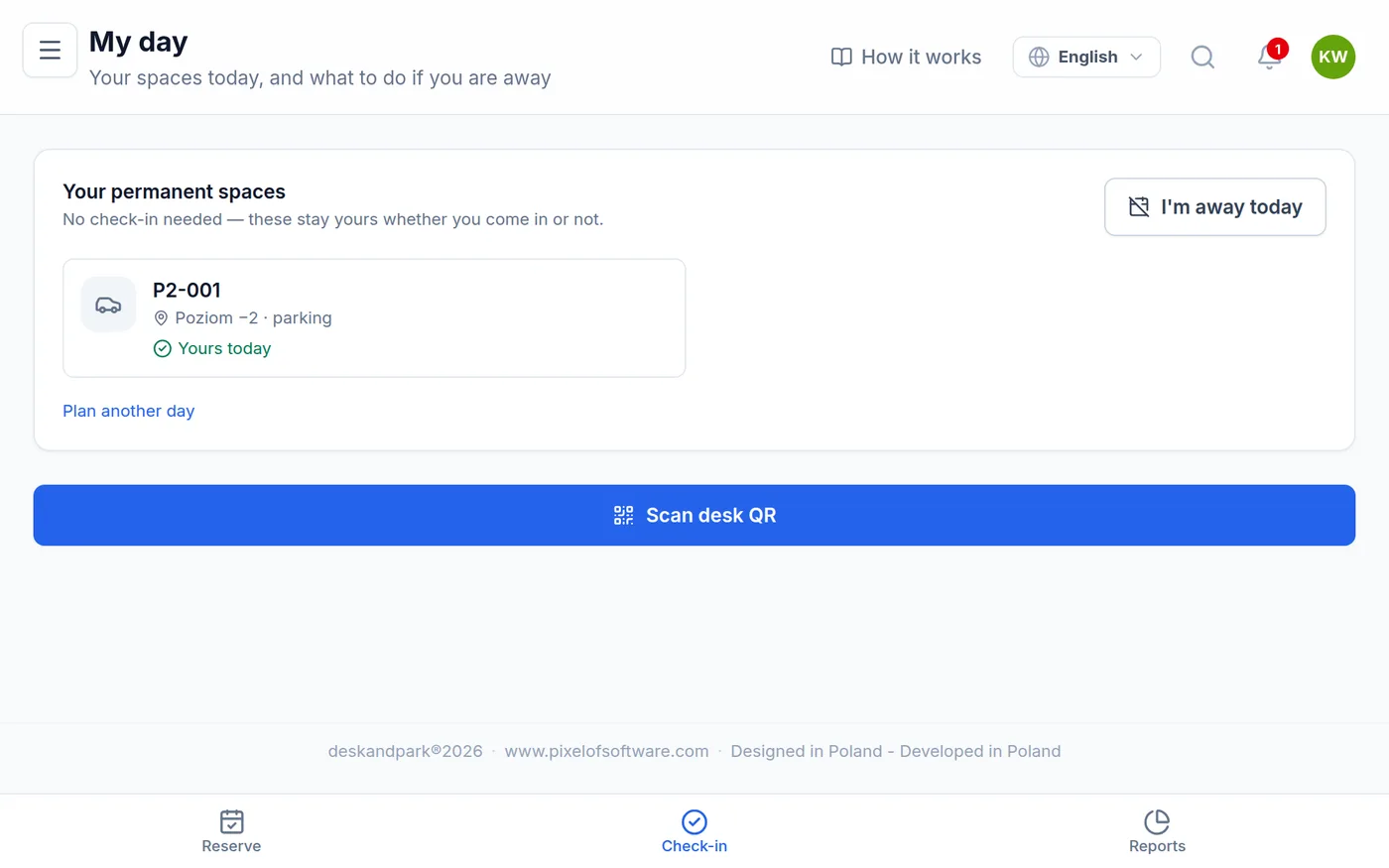
A permanent space: no check-in needed, and one button to hand it back for the day.
07 Room tablet
A tablet by the meeting-room door shows whether the room is free and until when, so nobody has to open an app to find out.
- An admin issues a one-time six-digit code, and the tablet pairs with it.
- The tablet shows the room's schedule for the day, refreshed every 10 seconds.
- The organiser checks in on the tablet when the meeting starts.
- A lost tablet is revoked with one click.
Who benefits: organisers have proof at the door that the room is theirs, and check-ins show which booked rooms were really used. The tablet is included in the price, with no extra licence.
The limit: the tablet does not take bookings; people book in the app or by scanning the room's QR code. Details: meeting-room kiosk tablets.
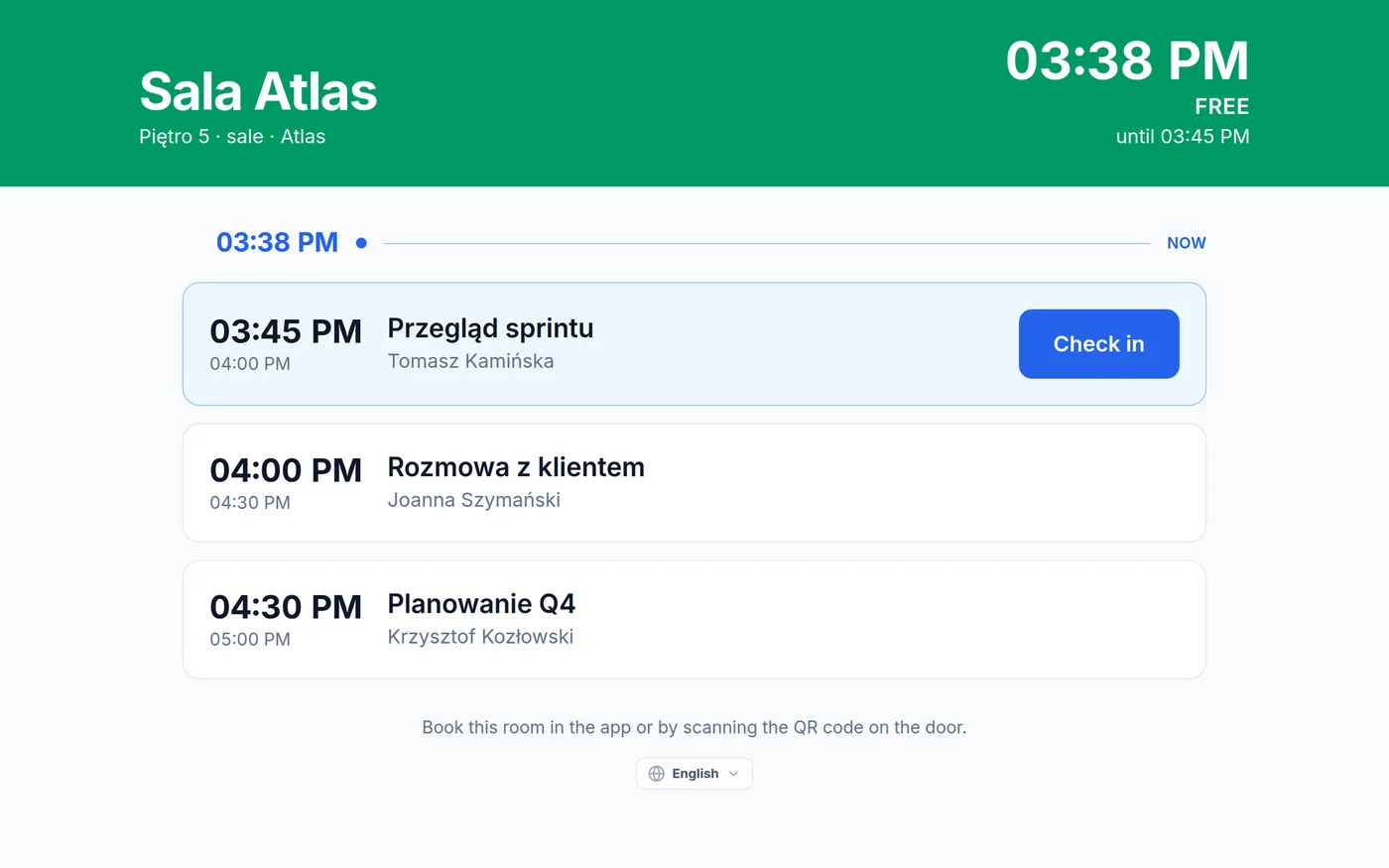
The room tablet: today's schedule and the organiser's check-in.
08 Reports for the board
Board Reports give the board numbers to decide on space with.
- Occupancy is measured against the seats that could actually be booked, not every desk on the plan.
- The reports show the no-show (ghost) rate per floor and resource, usage by department and team, EV charging demand and the peak day, for any range from 7 days to a year, with CSV export.
- For AI recommendations, an admin clicks "Generate report". A large language model receives aggregates only, never employee names, and returns 3–6 recommendations (cost saving, space consolidation, EV optimisation, ghost booking alerts, board member impact, ESG, capacity planning), each with an impact estimate written by the model.
- The board marks each one "Dismiss" or "Mark as done", and the decision is audited.
Who benefits: the board and finance get a defensible occupancy figure; on the Enterprise plan, managers get team reports for their own people.
The limit: the AI is not predictive forecasting, and Desk & Park does not calculate savings, costs or cost per square metre. The model's impact estimate is a hypothesis to check against your own lease data. Read AI workplace recommendations for the board and team reports for managers.
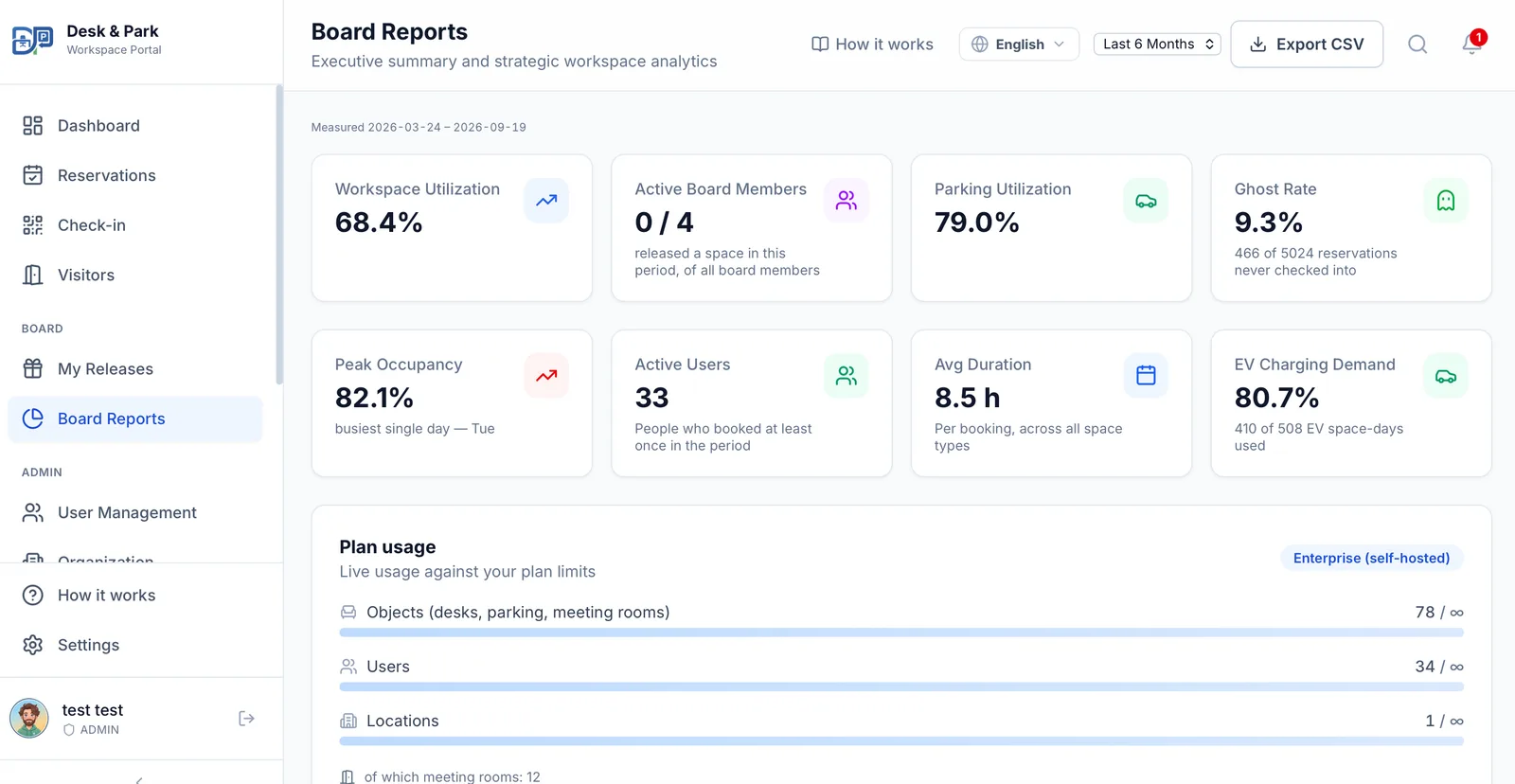
Board Reports: occupancy, ghost rate, peak day and EV demand for the chosen period.
09 Integrations and notifications
Bookings show up where people already work.
- Every confirmation carries an .ics calendar invite, and personal calendars can subscribe to an iCal feed.
- Notifications go to Slack or Microsoft Teams.
- On Pro and Enterprise, room calendars sync both ways with Microsoft 365 or Google Workspace (one provider per organisation; the room calendar wins conflicts).
- Single sign-on uses OpenID Connect with Microsoft Entra ID, Google Workspace, Okta or another OIDC provider, and SCIM creates and removes accounts from Entra ID or Okta. Both are on every plan, including the free one.
- E-mails go out in 10 languages.
Who benefits: employees see their desk next to their meetings; IT gets automatic offboarding.
The limits: personal calendars are one-way only, so Desk & Park does not read changes back from them, and there is no SAML. Deep dives: Slack and Teams notifications, room calendar sync, desk bookings in Outlook, SSO and passkeys and SCIM provisioning.
10 Security and EU data
This is the feature that answers the security questionnaire.
- Every customer organisation gets its own PostgreSQL database: no tables shared with other customers, backups and erasure per organisation, and an incident in one database does not touch another.
- Data stays in the EU: databases in Frankfurt, the application in the Netherlands.
- Backups are encrypted and taken nightly, and an audit log records who did what.
- Every user has two-factor sign-in (TOTP) and passkeys available.
- Data export and deletion can be requested in the settings, and a data processing agreement is published.
Who benefits: the CISO and the data protection officer get clear answers on isolation, location and access.
The limit: ISO 27001 and SOC 2 are planned, not certified, and SAML is not supported. If either is a hard requirement, raise it early. More in an isolated database per organisation and audit log and support access.
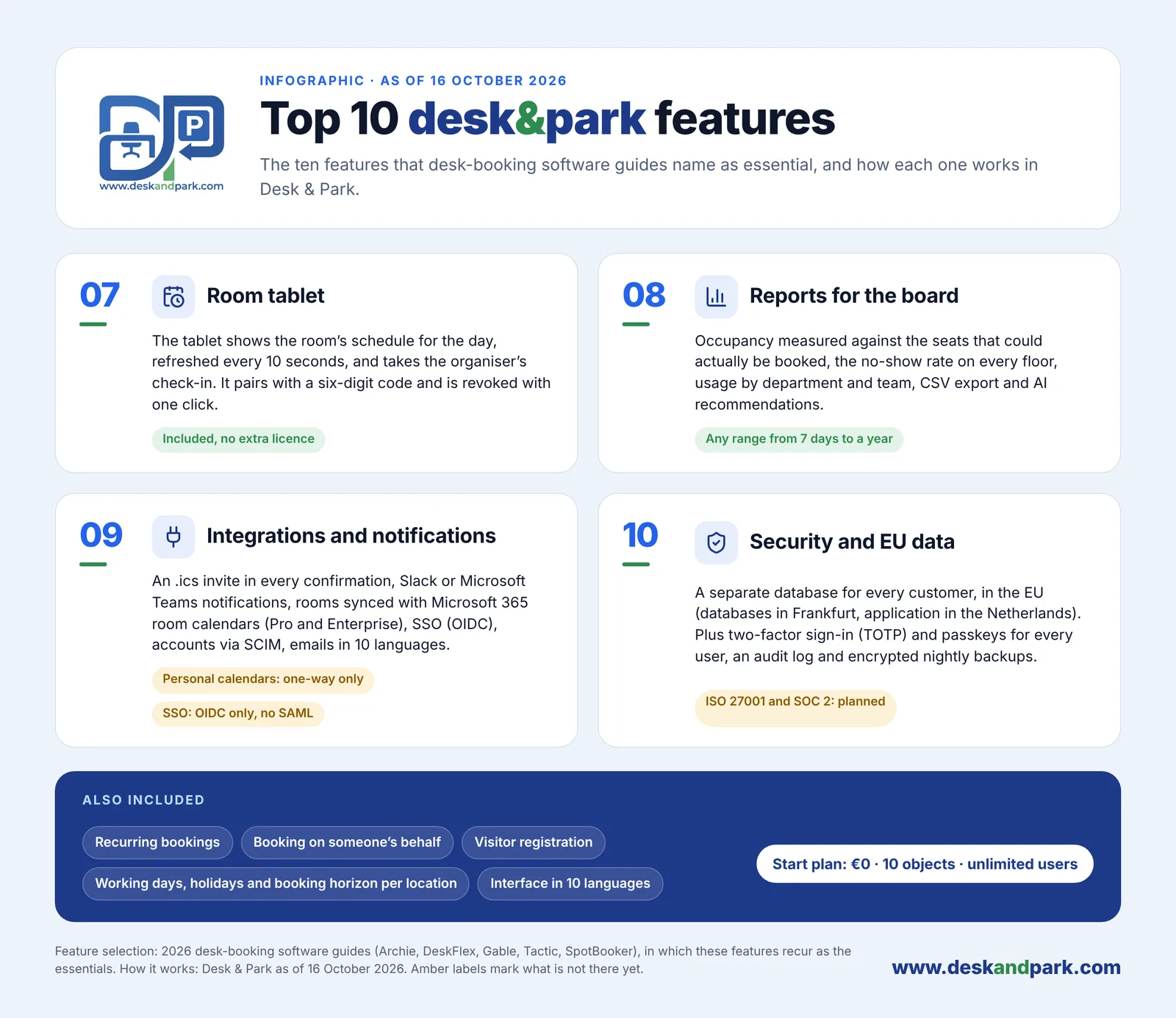
Features 07–10 and what is also included. Amber labels mark what is not there yet.
Also included
- Recurring bookings, so a team fixes its anchor days once: recurring bookings and team anchor days.
- Booking on someone's behalf: an admin books for an employee, and the notification goes to that employee.
- Visitor bookings without user accounts: guest bookings for board meetings.
- Working days, holidays, time zone and booking horizon per location: multi-location offices.
- Interface and e-mails in 10 languages.
- Self-serve onboarding in six steps: company account, plan upload, placing spaces, printing QR stickers, inviting users from a CSV file, first booking.
Pricing: per object, unlimited users
Desk & Park charges per bookable object (a desk, a parking spot including an EV charger spot, or a meeting room), never per user. Users are unlimited on every plan. Prices are net:
| Plan | Objects | Locations | Monthly | Yearly |
|---|---|---|---|---|
| Start | up to 10 | 1 | 0 USD | 0 USD |
| Standard | up to 75 | 3 | 128 USD | 1,280 USD |
| Pro | up to 125 | 10 | 230 USD | 2,300 USD |
| Enterprise | over 125 | custom | custom | custom |
Yearly billing equals ten monthly payments, so two months are free. Start is free forever and needs no payment details. Every plan is the same product; the exceptions are room calendar sync (Pro and Enterprise) and the manager role with team reports (Enterprise). An office with 60 desks, 10 parking spots and 5 rooms has 75 objects, so Standard covers it whether 90 or 190 people book. See the pricing page.
How Desk & Park compares
These ten features are a checklist, and every vendor ticks it differently. Our comparisons use only facts each vendor publishes and say where the other product is the better fit: deskbird, Skedda, Archie, Zoom Workplace, OfficeSpace, desk.ly, Flexwhere, Kadence, Gable, Robin, Envoy, Joan, Tactic, DeskFlex, SpotBooker, Eptura, YAROOMS, Parkalot and Microsoft Places. New to the topic? Start with hot desking.
FAQ
What are the most important features of desk booking software?
The 2026 buyer guides from Archie, DeskFlex, Gable, Tactic and SpotBooker keep naming the same ten: interactive maps, QR check-in with automatic release, desks, parking and rooms in one place, a view of who is in the office, mobile booking, assigned spaces that can be released, room tablets, reports, integrations and security. Desk & Park covers all ten, with the limits named above.
Are all ten features included in the free plan?
The core of all ten is. The Start plan is free for up to 10 objects and 1 location with unlimited users, and includes the map, QR check-in, automatic release, reports, SSO and SCIM. Room calendar sync needs Pro (230 USD a month for up to 125 objects), and team reports for managers need Enterprise.
Does Desk & Park have an iPhone app?
Not yet: the iOS app and app-store distribution are planned for 2027. Today iPhone users book and check in through the web app in the browser, and Android users can also use the native app with a QR scanner and push notifications.
Does Desk & Park support SAML, and is it ISO 27001 certified?
Not today. Single sign-on works through OpenID Connect with Entra ID, Google Workspace, Okta and other OIDC providers, and ISO 27001 and SOC 2 are planned, not certified. Each customer gets its own PostgreSQL database hosted in the EU, with encrypted nightly backups and an audit log.
How long does it take to set up Desk & Park?
One administrator sets up one office in six self-serve steps, and the onboarding guide quotes 60–90 minutes. There is no implementation project and no fee for floor plans; users are invited from a CSV file or provisioned by SCIM.
#DeskAndPark#DeskBookingSoftware#Features#HotDesking#ParkingManagement#WorkplaceManagement
Ask AI about this article
Get a summary or a second opinion: each button opens the assistant with a question about this article.